01
When capability sits elsewhere
Even routine figure work can require another handoff.
Need a figure or change
Explain the request
Send to drafter
Receive & review revision
Another change? Repeat.
IP DaVinci Patent Figure System™
Give the people involved in patent work the training, tools, and support to create, review, revise, and collaborate around patent figures more effectively in Microsoft Visio.
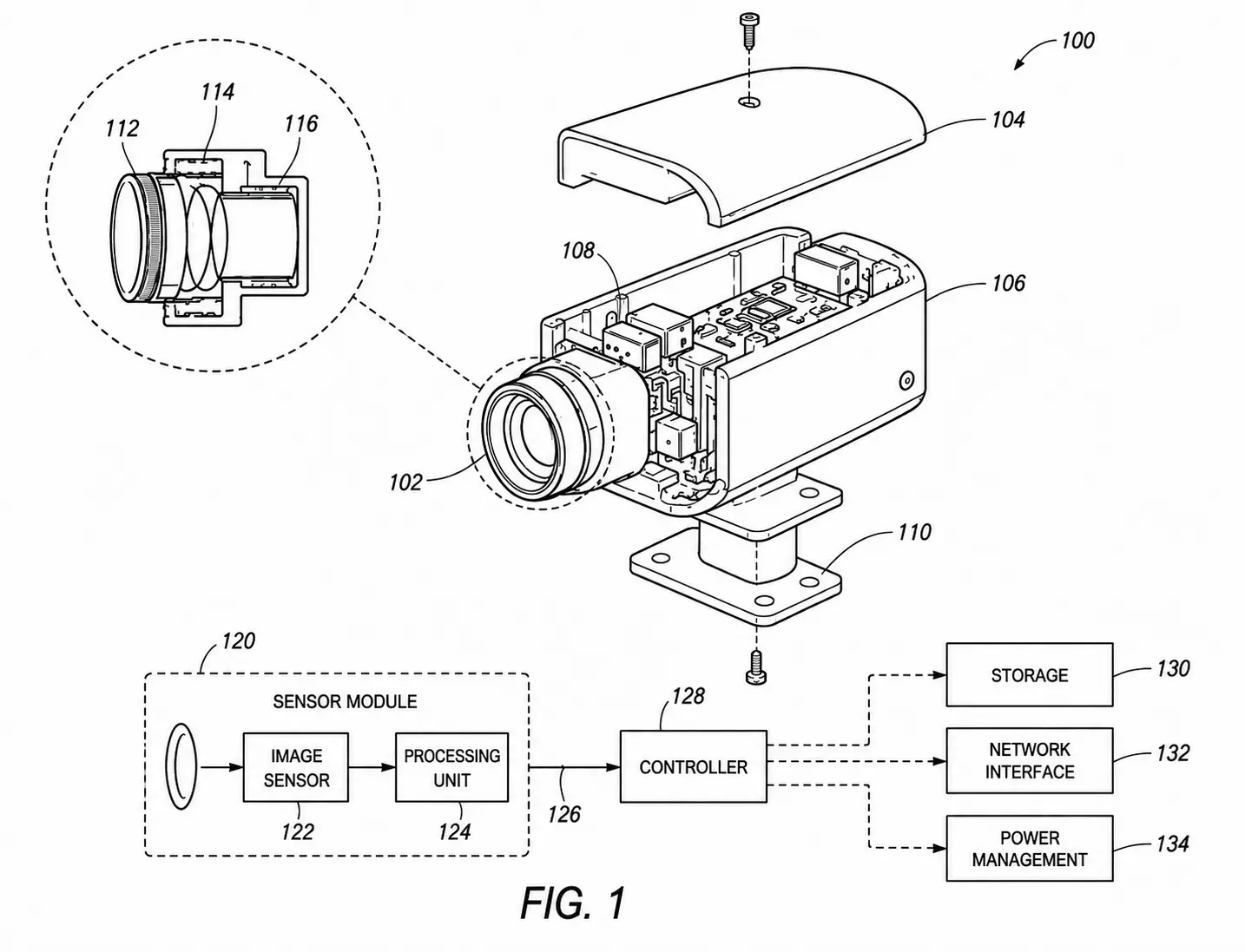
Built for individuals and organizations involved in patent work
The Capability Gap
Attorneys, agents, paralegals, inventors, engineers, and other professionals routinely need to review, communicate about, and request changes to patent figures. But the practical ability to work directly with those figures often sits somewhere else.
01
Even routine figure work can require another handoff.
02
The organization gains another practical path.
Yes
Continue patent work
Not appropriate
Escalate specialized work
IP DaVinci adds a practical layer of internal capability without eliminating the role of professional drafters.
The System
The IP DaVinci Patent Figure System™ combines practical training, purpose-built Microsoft Visio resources, and ongoing support to help people develop and use patent-figure capability over time.
Training
Learn patent figure standards, Microsoft Visio skills, figure creation methods, and other practical techniques through the IP DaVinci Learning Portal and Live Training.
Patent Figure Toolkit™
Use patent-specific Microsoft Visio templates, stencils, and productivity resources to create and revise figures without starting from scratch.
Support
Use Live Clinics, one-on-one assistance, and IP DaVinci Studio when a question, problem, or project requires additional help.
Together they create
Learn what you need, apply it in Microsoft Visio using prepared Toolkit resources, and get additional support whenever the work requires it.
Practical Capability
IP DaVinci gives participants practical ways to work with patent figures throughout the process—from creating and tracing source material to reviewing, revising, and collaborating around existing figures.
Build new patent figures in Microsoft Visio using structured templates, stencils, and repeatable patent-figure workflows.
Inspect editable figures directly, understand how they are constructed, and identify changes before or during patent preparation and prosecution.
Make appropriate routine changes directly instead of creating another drafting handoff for every adjustment.
Convert photographs, sketches, screenshots, CAD output, PDFs, and other source material into clean, editable line drawings.
Work around editable figures with attorneys, agents, paralegals, inventors, engineers, researchers, and other participants in the patent process.
Use Live Clinics, one-on-one assistance, or professional patent drawing support when a question, problem, or project requires additional help.
The objective isn't to make everyone a professional patent drafter. It's to give people the capability to handle appropriate figure work directly—and know when specialized drafting makes more sense.
Built for Patent Organizations
Patent-figure work happens in different environments, but the underlying need is similar: give the people involved in patent work an appropriate level of practical capability while keeping professional drafting available when specialized work is needed.
Give attorneys, agents, paralegals, and support professionals greater ability to work directly with patent figures during preparation, prosecution, and client collaboration.
Help IP teams, engineers, inventors, and outside counsel work more effectively around patent figures from invention disclosure through prosecution.
Give technology-transfer teams, researchers, faculty, students, and inventors practical tools and skills for working with figures during the patent process.
Extend practical patent-figure education, tools, and ongoing support to members as a professional capability benefit.
The Patent Process
Patent figures move through multiple hands—from source material and invention disclosure through preparation, revision, collaboration, and prosecution. Building practical figure capability closer to the people doing that work can reduce unnecessary handoffs and make figure-related communication more direct.
Input
Photos, sketches, screenshots, CAD, PDFs, inventor material, and existing figures.
Build
Build new figures or convert source material into clean, editable line drawings.
Refine
Review editable figures and make appropriate changes as the patent work develops.
Coordinate
Communicate around figures with the people contributing technical and patent knowledge.
Complete
Complete appropriate figure work internally or use professional drafting resources where needed.
People around the figures
Capability can help the people contributing different kinds of knowledge work more directly around the same figure process.
The improvement isn't simply faster drawing. It's fewer unnecessary handoffs, clearer figure-related communication, and more control over routine work throughout the patent process.
Extended Capability
Patent work rarely happens entirely inside one organization. Law firms work with clients and inventors. Corporate IP teams work with engineers and outside counsel. Universities work with researchers and inventors. Associations support entire professional communities.
Core
Internal participants build and use practical patent-figure capability.
Extended Access
Access can extend where a shared capability improves collaboration around patent figures.
Law Firm
Corporation
University
Association
The organization remains the center of the relationship. Extended access simply allows capability to reach the people who participate in its patent work when doing so is useful.
The Right Resource
Not every patent-figure task requires the same level of expertise. Some work can be handled directly by people already involved in the patent process. Other work belongs with an experienced professional drafter.
Internal Capability
Work participants may be equipped to handle directly.
Professional Drafting
Work that benefits from specialized drafting expertise.
The principle
The goal isn't to move everything in-house. It's to make the allocation of figure work more intentional.
When additional help is needed
Organizations can continue using their existing drafting resources. IP DaVinci also provides Live Clinics, one-on-one assistance, and IP DaVinci Studio so participants have different levels of support available when needed.
Implementation
IP DaVinci doesn't require an organization to redesign its patent process. Implementation begins by understanding where figure work happens today, who participates, and where additional capability would be useful.
Assess
Identify who works with patent figures today, how figure work moves through the organization, where drafting resources are used, and where additional capability would be valuable.
Configure
Determine which participants need access, what kinds of figure work they should be equipped to handle, and how Training, the Patent Figure Toolkit, and Support should fit into the organization's existing workflow.
Launch
Give participants access to the System and establish the practical foundation they need to begin working with patent figures.
Build
Participants continue learning and applying practical methods as actual figure needs arise, supported by the Learning Portal, Live Training, Patent Figure Toolkit, and available Support.
Continue
New participants can enter the System, existing participants can refresh or expand their skills, and additional support remains available whenever the work requires it.
Capability infrastructure
Implementation isn't a one-time training event. Participants continue to have resources for learning, working, and getting help as needs arise.
The result
Capability becomes part of the organization's patent workflow—not something participants have to rebuild every time a figure need appears.
See the System in Action
See how the IP DaVinci Patent Figure System™ brings practical training, purpose-built Microsoft Visio resources, and ongoing support together around real patent-figure work.
Work directly with editable figures
Follow repeatable patent-figure workflows
Learn and get help when needed
Get Started
Whether you're evaluating IP DaVinci for an organization or looking for practical patent-figure capability yourself, there is a straightforward way to begin.
Explore how Training, the Patent Figure Toolkit, and Support work together to build practical patent-figure capability.
Organizations
We'll look at your current figure workflow, the people involved, and where additional patent-figure capability could make the most practical difference.
For patent professionals, inventors, researchers, educators, and others who want direct access to practical patent-figure training, Toolkit resources, and support.
Not sure where to begin?
If IP DaVinci may be useful to multiple people, a team, clients, researchers, members, or other participants, begin with an organizational conversation. We can determine the appropriate scope before you commit to an implementation.
Build Patent-Figure Capability
We'll look at your current workflow, the people involved, what is handled internally, what goes to professional drafters, and where additional capability could be useful.
Discuss Your Organization