For Corporate Inventors & Engineers

Visualize, develop and communicate inventions more effectively.

As AI changes the pace of technical work, strengthen your ability to explore ideas and explain inventions visually. IP DaVinci helps you work with editable illustrations and patent drawing methods without replacing your engineering design tools.

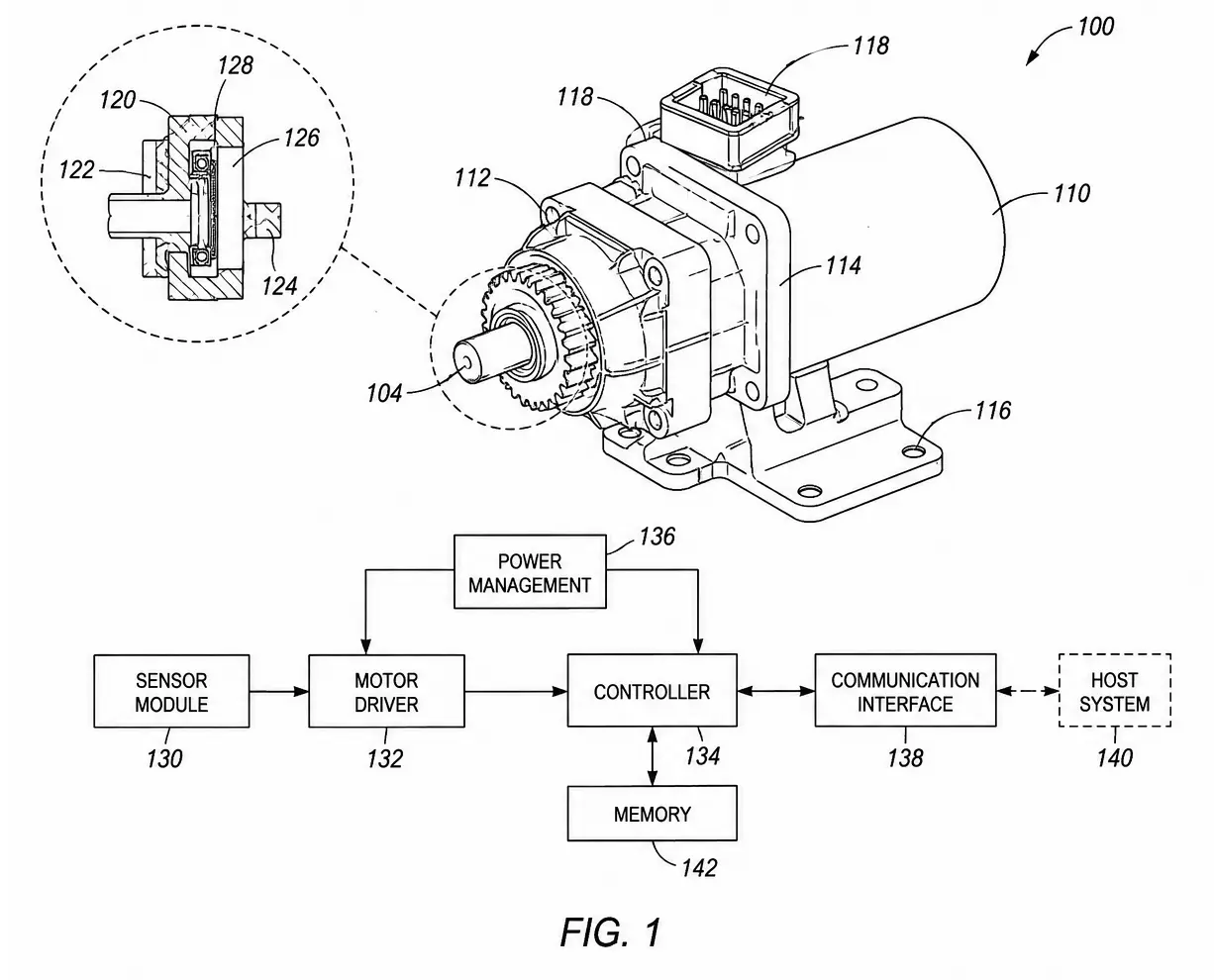
Patent figure example showing a technical invention with numbered reference elements

From ideas to disclosure

Explore Visualize Document Communicate

Innovation Productivity

Good ideas need to be understood, not just developed.

Emerging AI technologies may make it easier to explore and communicate technical concepts, increasing expectations for the speed and clarity of innovation work.

CAD and engineering tools remain essential for detailed design. But conceptual diagrams, alternative embodiments and invention disclosure illustrations often call for a simpler, flexible visual environment.

01 The Challenge

Communicate the invention without unnecessary effort.

  • Ideas evolving faster than documentation
  • Complex technical relationships
  • Repeated clarification with patent counsel
  • Limited time for formal drawing work
The Opportunity Make visual communication part of invention development
02 A Practical Capability

Work directly with the visual representation of your ideas.

  • Explore conceptual configurations
  • Explain system relationships
  • Document alternatives and operation
  • Prepare clearer material for IP teams

Invention Visualization

Work visually from the first concept to invention disclosure.

A drawing can help you discover questions, explain relationships and communicate alternatives before the technical concept is ready for formal patent preparation.

Use your existing engineering tools for engineering decisions and a practical editable drawing environment for conceptual and patent-related visual work.

01 Explore

Visualize alternative configurations.

Sketch and rearrange conceptual elements to explore possible embodiments. Verify the technical feasibility of any proposed configuration separately.

Concepts Alternatives Relationships
02 Illustrate

Explain how a system or method operates.

Build clear block diagrams, process flows and schematic views using reusable resources instead of producing detailed engineering models for every explanation.

System diagrams Process flows Schematic views
03 Document

Capture important invention details.

Organize visual material that helps explain the technical contribution, component relationships and variations for discussion with your IP team.

Source material Embodiments Technical details
04 Refine

Update the illustration as your ideas develop.

Work directly with editable diagrams and drawings to incorporate changes, explore new arrangements and preserve useful visual material.

Editable figures Revisions Variants
05 Communicate

Give patent professionals a clearer starting point.

Share approved illustrations with your IP team and counsel. Let the responsible professionals determine what belongs in the application and when formal drawing services are needed.

IP teams Patent counsel Disclosure

The Principle

Complement engineering design with practical visual communication.

Use the System where flexible visualization and patent drawing work are useful. Engage IP DaVinci Studio for professional illustrations when appropriate.

Patent Figure System™ Direct conceptual visualization
or
IP DaVinci Studio Professional drawing services

The IP DaVinci Patent Figure System™

Develop visual capabilities that complement your technical expertise.

The System combines Training, the Patent Figure Toolkit™ and Support to help non-drafters use repeatable methods and editable Visio resources for invention-related visual work.

It is not a substitute for CAD, engineering analysis or patent counsel. It gives you another practical way to develop and explain ideas.

01 Learn & Develop

Training

Learn practical patent-figure skills and standardized methods through the Learning Portal and Live Training.

Patent Figure Standards Visio Skills for Patent Figures Patent Figure Creation Methods Other Patent Figure Methods
02 Work

Patent Figure Toolkit™

Apply the methods using reusable resources designed for practical patent-figure work in Microsoft Visio.

Templates Stencils Productivity Resources
03 Get Help

Support

Get guidance when applying the System to real patent-figure tasks.

Live Clinics One-on-One Support Practical Workflow Guidance
One Connected System
Training Patent Figure Toolkit™ Support More effective invention communication
Available Today & Future Direction

Microsoft Visio is the currently supported drawing environment.

The current offer is Visio-based tools, methods, training and support. Our development direction is to evaluate AI-assisted drawing and other visualization environments, and incorporate proven methods when appropriate. Integrated AI drawing features are not part of the current evaluation.

IP DaVinci for Inventors & Engineers

Make your next invention easier to visualize and explain.

Try the current Visio-based System on a conceptual diagram, an alternative embodiment or approved invention disclosure material. Use Studio services when professional drawing production is needed.

Start Small
One concept. One diagram. One clearer explanation.

Evaluate whether editable visual work helps you explain the invention with fewer clarification cycles.

Patent Figure System™ Visualize and communicate directly.
IP DaVinci Studio Access professional illustrations.
Innovation Productivity Turn technical ideas into clearer visual material.