OPTIONAL WORKFLOW ACCESS LAYER
Access the IP DaVinci Workflow System from virtually any device
Browser-based Windows + Visio access for environments where local installation is impractical.
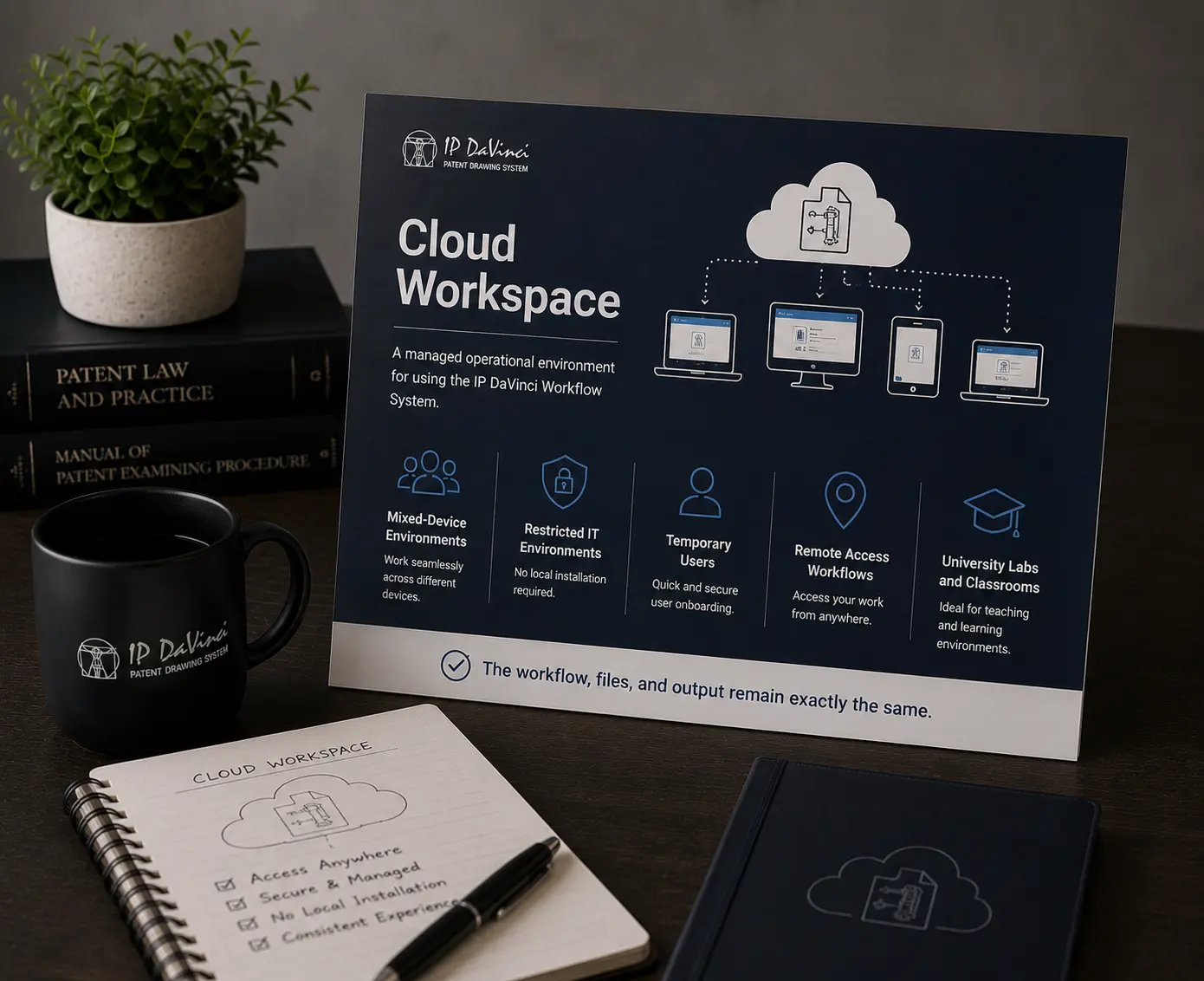
Cloud Workspace Is Optional
Cloud Workspace is an operational deployment layer — not a separate workflow system. Use local Windows + Visio installations when practical. Add Cloud Workspace only when deployment, device, or IT constraints require it.
What Cloud Workspace Solves
Removes deployment and access barriers without changing the workflow itself.
RAPID DEPLOYMENT
Start Without Local Setup
Access a ready-to-use workflow environment immediately.
- ✔ No local installation required
- ✔ No admin rights needed
- ✔ Minimal IT coordination
FLEXIBLE ACCESS
Use the Workflow Across Different Devices
Maintain operational consistency even across mixed-device environments.
- ✔ Mac, iPad, Linux, Chromebooks
- ✔ Restricted corporate devices
- ✔ Temporary or remote users
CONSISTENT WORKFLOW
Same Workflow. Same Files. Same Output.
Cloud Workspace changes access only — not the operational workflow.
- ✔ Same Toolkit environment
- ✔ Same file compatibility
- ✔ Same workflow structure
Operational Benefits
Reduce deployment friction while maintaining workflow consistency.
Reduce IT Delays
Start workflow adoption without waiting for complex installations or approvals.
- ✔ Faster onboarding
- ✔ Reduced deployment friction
- ✔ Simplified access
Maintain Consistent Environments
Users work inside the same structured environment across devices and locations.
- ✔ Fewer compatibility issues
- ✔ Cleaner onboarding
- ✔ Consistent operational setup
Deploy Flexibly
Use Cloud Workspace only where operationally useful.
- ✔ Mix local + cloud users
- ✔ Scale access gradually
- ✔ Support temporary deployments
CLOUD DEPLOYMENT OPTIONS
Choose the Deployment Structure That Fits
Add Cloud Workspace only where operationally necessary.
Individual Cloud Access
For users unable to run Windows + Visio locally.
- ✔ Managed browser-based environment
- ✔ Works across virtually any device
- ✔ Fast operational access
Organizational Cloud Deployment
For firms, universities, labs, and structured teams supporting multiple users.
- ✔ Consistent managed environments
- ✔ Flexible user deployment
- ✔ Mixed-device workflow support
Cloud Workspace provides the operational environment only. Microsoft Visio licensing is typically supplied by the user or organization.
Licensing-included deployment options may be available for organizational environments.
How Cloud Workspace Fits
Cloud Workspace is the access layer of the IP DaVinci Workflow System.
It does not change:
- the workflow
- the files
- the output
- the training structure
It simply removes deployment barriers.
- Starter Package = Workflow System
- Cloud Workspace = Operational access layer
Most users should use local installations when practical.
Cloud Workspace is added only where operationally useful.
Where Cloud Workspace Is Most Useful
Different deployment constraints. Shared workflow goals.
Law Firms
- Mac-based attorneys
- Temporary staff
- Remote contractors
Corporate Teams
- Restricted devices
- IT-controlled environments
- Hybrid deployment models
Universities
- Mixed-device classrooms
- Lab environments
- Temporary student access
Individual Professionals
- No Windows access
- No admin rights
- Portable workflow access
Need flexible workflow access?
Add Cloud Workspace only where deployment or device constraints require it.