Patent Attorneys & Agents
Work with figures throughout prosecution.
Members benefit from being able to review, explain, revise, and communicate figure changes more directly.
Patent-Figure Education for IP & Innovation Associations
Give patent attorneys, agents, paralegals, inventors, engineers, researchers, and other innovation professionals access to Training, the Patent Figure Toolkit™, and Support for creating, reviewing, revising, and communicating patent figures more effectively.
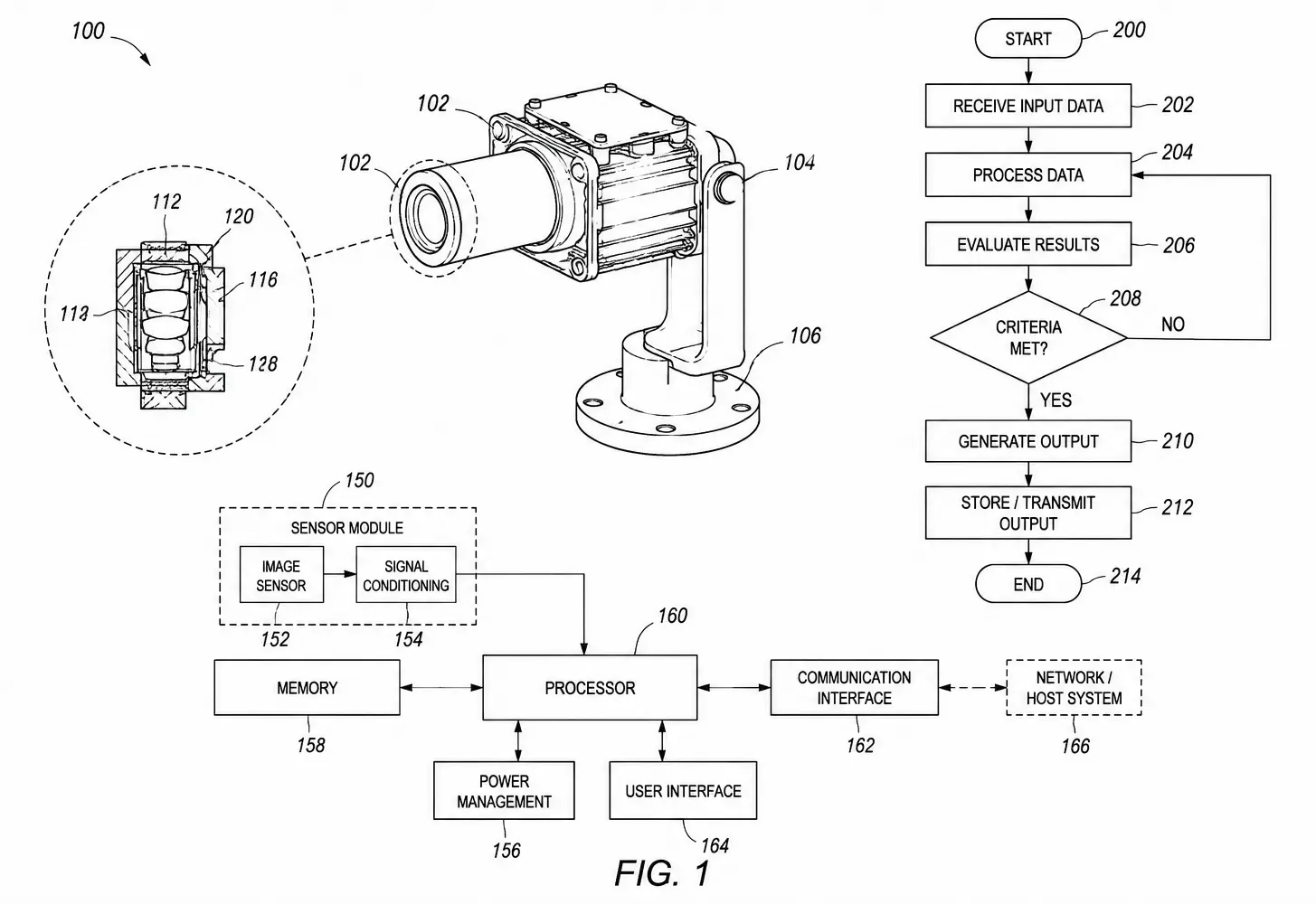
Across the member community
The Member Opportunity
Patent professionals routinely review figures. Inventors and engineers supply technical source material. Paralegals and support teams coordinate revisions. Researchers communicate complex systems and processes.
Yet many professionals learn patent-figure work informally, matter by matter, without a practical system for handling common drawing and revision tasks.
Patent Attorneys & Agents
Members benefit from being able to review, explain, revise, and communicate figure changes more directly.
Paralegals & IP Support
Practical drawing skills can help with routine revisions, annotations, file preparation, and communication with attorneys and drafting resources.
Inventors, Engineers & Researchers
They can benefit from better methods for turning technical ideas, sketches, screenshots, photographs, CAD, and diagrams into clearer patent source material.
IP Leaders & Educators
Associations can fill a training gap with useful skills members can apply immediately rather than another purely conceptual program.
IP DaVinci gives associations a structured way to provide patent-figure capability without requiring the association to create the Training, Toolkit resources, or Support infrastructure internally.
Member Value
The strongest association programs create a clear connection between professional development and day-to-day practice. Patent-figure capability can serve both.
Practical Skills
Members develop concrete skills for creating, reviewing, revising, tracing, annotating, and managing editable patent figures.
Immediate Application
Training focuses on recurring figure tasks members are likely to encounter in patent work, invention communication, or support roles.
Reusable Resources
Depending on the program, members can receive access to Patent Figure Toolkit™ resources, including templates, stencils, and productivity resources for practical patent-figure work.
Role Flexibility
Programs can be designed for attorneys, agents, support staff, inventors, engineers, researchers, students, or selected combinations.
Continuing Capability
When broader access is part of the program, members can continue through the Learning Portal, Live Training, Patent Figure Toolkit™ resources, and Support.
The IP DaVinci Patent Figure System™
Association programs can provide members access to the same connected System used by individuals and organizations to develop and apply practical patent-figure capability.
Training
Learn through the Learning Portal and Live Training across Patent Figure Standards, Visio Skills for Patent Figures, Patent Figure Creation Methods, and Other Patent Figure Methods.
Patent Figure Toolkit™
Templates, stencils, and productivity resources help members apply IP DaVinci methods during appropriate patent-figure work in Microsoft Visio.
Support
Live Clinics, One-on-One Support, and IP DaVinci Studio provide additional guidance or professional patent drawing assistance when useful.
Microsoft Visio is the primary working environment in which members apply the System to appropriate editable patent-figure work.
Ways to Build the Member Program
Focused introduction or educational presentation.
Practical instructor-led patent-figure education.
Self-paced continuing education for eligible members.
Practical working resources members can use beyond training.
Continuing opportunities for enrolled members to get help.
Program Formats
Associations differ in size, programming calendars, member composition, sponsorship structure, and educational goals. The delivery model should fit the association, not the other way around.
Guest Program
A focused presentation for a chapter, section, conference, committee, webinar series, or professional-development calendar.
Live Training
Go deeper on topics such as image tracing, flowcharts, system diagrams, figure revisions, annotations, or Visio skills for patent figures.
Member Benefit
Provide eligible members defined access to Training, Patent Figure Toolkit™ resources, and Support as part of the association's professional-development value.
Program Series
Create a sequence of practical sessions for different skills, audiences, chapters, sections, or levels of experience.
A single useful program is enough to test member interest. Broader access can follow only if the response justifies it.
Audience Design
A patent bar association, paralegal organization, engineering society, inventor group, university association, and innovation network should not receive identical programming.
Patent Professionals
Emphasize figure review, practical revisions, inventor communication, drafting handoffs, and working with editable patent figures.
IP Support Professionals
Emphasize routine changes, organization, annotations, templates, quality control, and coordination with attorneys and vendors.
Inventors & Technical Members
Emphasize how to turn technical source material into clearer diagrams and how to participate effectively in patent-figure review.
Mixed Membership
Show how inventors, patent professionals, support staff, and professional patent drawing resources interact—and where practical capability improves collaboration and reduces unnecessary handoffs.
Association Partnership Models
Some associations need one useful educational program. Others want continuing professional development or broader member access. The relationship can expand only when the member value justifies it.
Educational Program
The association brings the audience together; IP DaVinci provides the patent-figure subject matter and instruction.
Member-Benefit Access
Provide eligible members access to selected IP DaVinci Training, Patent Figure Toolkit™ resources, and Support.
Continuing Professional Development
Provide recurring Training and Support so members can continue developing and applying patent-figure capability.
Strategic Association Partnership
Develop broader access, multi-session programming, chapter or section programs, or another association-specific structure.
The program should stand on its educational and practical usefulness. Sponsorship or other commercial structures may also be considered where appropriate, but they should support the member value—not overwhelm it.
Association Value
Patent-figure capability sits at the intersection of legal practice, technical communication, operations, and invention. That makes it suitable for associations looking for programming that is specialized but broadly useful.
Distinctive Programming
Offer education that is different from the legal-update and doctrine-heavy programs members already see frequently.
Broad Relevance
The subject can be useful to patent professionals, support teams, inventors, engineers, researchers, and innovation professionals.
Expandable Format
A webinar or guest session can become a workshop, series, or member-access program without requiring a large initial commitment.
Practical Member Benefit
The objective is not merely awareness. Members can develop capability and, where access is included, continue using Training, Toolkit resources, and Support beyond the initial program.
The Association's Role
The association does not need to build a patent-drawing service, create technical curriculum, or operate the working resources. Its role is to make useful capability available to members.
IP DaVinci → Provides Training + Patent Figure Toolkit™ + Support
Members → Build and use the capability in their own work.
From Member Value to Organizational Value
Encounters the capability through the association.
Applies useful methods and resources in real work.
Introduces the approach to colleagues where broader use makes sense.
The firm, corporation, university, or team can evaluate broader access.
Implementation
There is no need to design a full association partnership before members have experienced the subject. Start with a defined audience and a useful program.
Select
Identify the section, chapter, committee, profession, or mixed member group the program should serve.
Design
Select an introductory briefing, focused workflow, workshop, or broader practical program.
Deliver
Provide clear instruction centered on practical patent-figure work and the needs of the selected audience.
Evaluate
Use participation, questions, feedback, and follow-up demand to determine whether additional programming is worthwhile.
Extend
Expand into workshops, recurring sessions, member benefits, chapters, or partnerships when there is demonstrated demand.
Ways to Start
Start with one educational event, test a practical workshop, or discuss a broader member-benefit program.
Introduce
A focused introduction to patent-figure capability for a chapter, section, committee, conference, or member webinar.
Engage
A practical instructor-led session built around defined patent-figure skills, methods, or member needs.
Expand
Provide defined member access to IP DaVinci Training, Patent Figure Toolkit™ resources, and Support as an ongoing association benefit.
Start with one useful program or provide broader member access. IP DaVinci supplies the Training, Patent Figure Toolkit™, and Support; your association gives members a practical way to build and use the capability.