For Patent Law Firms

Build patent-figure capability into your practice.

Give attorneys, patent agents, paralegals, and support professionals practical tools, workflows, and training for working directly with patent figures—while keeping professional drafting available for work that requires it.

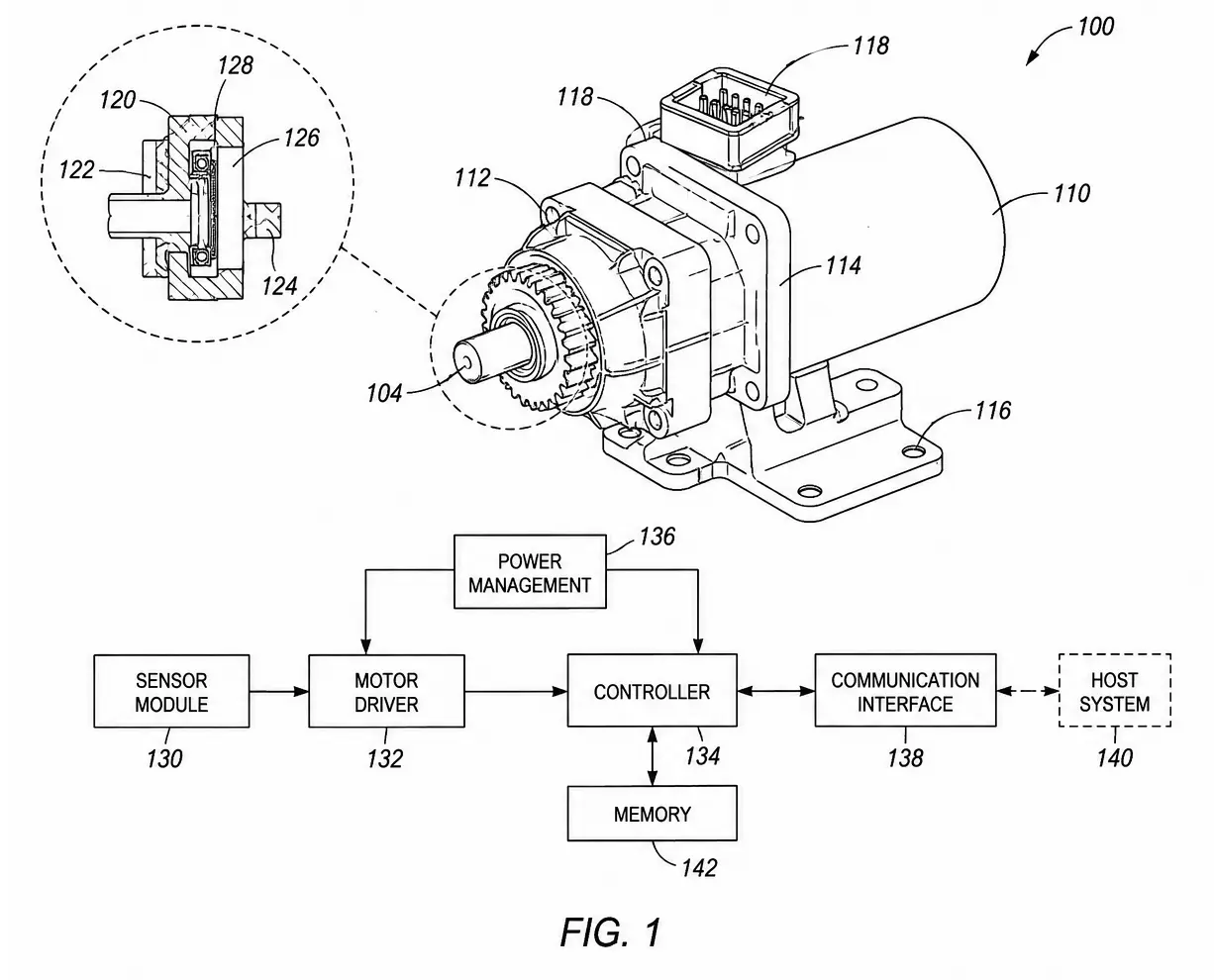
Patent figure example showing a technical invention with numbered reference elements

Across the practice

Attorneys Patent Agents Paralegals Support Professionals

The Practice Gap

The people closest to the patent often aren't equipped to work directly with the figures.

Attorneys and patent agents understand the invention, claims, prosecution strategy, and client instructions. Professional drafters bring specialized drawing expertise.

But between those roles sits a large amount of everyday figure work—reviewing, revising, communicating changes, preparing straightforward figures, and working with inventor source material.

01 Patent Practice

Patent professionals understand the patent.

  • Invention and disclosure
  • Claims and specification
  • Prosecution strategy
  • Client and inventor instructions
The Gap Everyday figure work
02 Drawing Expertise

Professional drafters understand drawing production.

  • Specialized figure preparation
  • Drawing conventions and standards
  • Complex illustration work
  • Professional drafting production

What gets caught in the middle

Often, the request itself is straightforward.

01

“Move this element.”

02

“Add another embodiment.”

03

“Change this reference number.”

04

“Trace this inventor sketch.”

05

“Let's show this differently.”

Without internal capability

A straightforward figure change can become another drafting cycle.

Identify change Explain change Send request Review return Revise again

IP DaVinci adds practical capability between the patent professional and the professional drafter—so the practice can handle appropriate figure work directly and escalate specialized work when needed.

Where Capability Helps

Give your team practical figure capability throughout the patent workflow.

Patent figures aren't a single production event. They are reviewed, discussed, revised, expanded, and sometimes reconsidered as the application develops.

IP DaVinci gives the people involved in that work a practical way to participate directly when it makes sense.

01 Prepare

Turn source material into workable figures.

Start from inventor sketches, screenshots, existing diagrams, photographs, PDFs, or other source material and develop clean, editable figure content.

Tracing Diagramming Editable geometry
02 Review

Review the actual drawing—not just a marked-up copy.

Work directly with editable figures when checking content, relationships, reference numbers, annotations, and other details before the next handoff.

Inspection Markup Direct access
03 Revise

Make appropriate changes without starting another cycle.

Handle straightforward changes directly—moving elements, changing labels, adding callouts, adjusting layouts, or creating another version of an existing figure.

Editing Reference numbers Figure variants
04 Prosecute

Respond when prosecution changes what the figures need.

When amendments, examiner issues, or evolving strategy affect the figures, your team has the ability to review and make appropriate drawing changes directly.

Amendments Corrections New figure needs
05 Collaborate

Work more directly with inventors, clients, and drafters.

Use editable visual material to discuss changes, communicate intent, test alternatives, and give professional drafters clearer direction when specialized production is required.

Inventors Clients Drafters

The Principle

Capability doesn't mean doing everything internally.

It means having the ability to decide what should be handled inside the practice and what should be sent to a professional drafter.

Handle Internally Routine and appropriate figure work
or
Escalate Specialized and complex drawing work

The IP DaVinci System

Give your practice a repeatable way to work with patent figures.

The IP DaVinci Patent Figure System™ combines the skills, tools, workflows, and productivity methods needed for practical patent-figure work.

The result is a common working system for creating, reviewing, revising, and managing figures across the practice—not a collection of individual software habits.

01 Foundation

Essential Visio Skills

Learn the Visio skills that matter for patent-figure work without requiring general-purpose software training.

Shapes & geometry Lines & connectors Layers Text & callouts Alignment & layout
02 Tools

Toolkits

Start with reusable patent-figure resources instead of rebuilding common drawing elements and structures from scratch.

Templates Stencils Reusable components Figure structures Drawing resources
03 Process

Workflows

Follow repeatable methods for common patent-figure tasks rather than solving the same production problem differently every time.

Image tracing Figure revision Reference numbers Diagram construction Figure preparation
04 Efficiency

Productivity Methods

Structure the work so figures remain editable, consistent, easier to revise, and easier for others in the practice to understand.

Editable ownership Consistent structure Faster revision Reusable work Team consistency
IP DaVinci Patent Figure System™
Skills Tools Workflows Productivity Methods

What Your Practice Gets

More than training.

The System combines learning, reusable resources, live instruction, and access to professional support so capability can become part of the firm's working environment.

01
LMS

Structured learning and reference material available when team members need it.

02
Patent Figure Toolkit™

Templates, stencils, and reusable resources for practical figure work.

03
Patent Figure Bootstrap™

Practical live training that helps participants establish the core capability quickly.

04
Ongoing Learning

Continued instruction and practical sessions for developing capability beyond the initial launch.

05
IP DaVinci Studio

Professional drafting support when a figure requires specialized production or additional assistance.

The Result

A shared patent-figure capability—not a collection of isolated software users.

Attorneys, agents, paralegals, and support professionals can work from the same methods and resources while the firm retains a clear path to professional drafting when the work calls for it.

Across The Practice

Different roles need different levels of figure capability.

Building internal capability doesn't mean training everyone to become a professional patent drafter.

It means giving each person the practical skills, tools, and workflows appropriate to the work they actually perform.

01 Direct Capability

Attorneys &
Patent Agents

Work more directly with the figures while drafting, reviewing, prosecuting, and communicating with inventors and clients.

Review Understand and inspect editable figures
Revise Make appropriate straightforward changes
Communicate Show changes instead of only describing them
02 Operational Capability

Paralegals &
Support Professionals

Develop stronger operational capability for recurring figure preparation, revision, coordination, and quality-control tasks.

Prepare Handle appropriate routine figure work
Coordinate Manage revisions and figure resources
Standardize Apply repeatable firm workflows
03 Production Capability

Figure Specialists &
Drafting Staff

For firms with internal drafting resources, the same system can support deeper figure creation and a more standardized production environment.

Create Build and develop patent figures
Produce Use reusable tools and workflows
Support Serve the broader patent practice
04 Practice Capability

Practice Leadership &
Administration

Establish a common capability that can be deployed, supported, and expanded across the patent practice instead of depending on individual methods.

Deploy Provide shared tools and learning
Onboard Give new team members a defined path
Scale Extend capability as the practice grows

Capability By Role

The goal isn't identical training. It's appropriate capability.

Review & Communicate Create & Produce
Attorneys & Agents
Paralegals & Support
Figure Specialists
One Firm
Patent Professionals Direct figure capability
Internal Resources Deeper operational capability
Professional Drafting Specialized escalation

Work Allocation

Put the work in the right place.

The goal is not to bring every drawing task inside the firm. It is to give the practice a practical basis for deciding where each figure need belongs.

01 Internal

Handle Internally

Straightforward work that appropriately trained members of the practice can often perform directly.

01

Move or reposition an element

02

Change text or reference numbers

03

Add or remove straightforward callouts

04

Modify an existing diagram

05

Create simple block or flow diagrams

02 Judgment

Decide Case by Case

Some work can be handled internally when the right person has the appropriate capability, time, and source material.

01

Trace inventor sketches or source images

02

Develop additional figure variants

03

Build more involved technical diagrams

04

Rework figure layouts substantially

05

Prepare new figures from mixed source material

03 Specialized

Escalate

Complex or production-intensive work can remain with experienced professional drafting resources.

01

Complex mechanical illustration

02

Highly detailed technical subject matter

03

Large or demanding drawing sets

04

Specialized illustration requirements

05

Work better suited to professional production

The Decision
Routine Can we handle this appropriately ourselves?
Evaluate Is internal work still the best use of our resources?
Specialized Would professional drafting be the better choice?

What Changes

The firm gains choice.

Without internal capability, many figure needs default to an external or specialized drafting workflow simply because there is no practical alternative.

With IP DaVinci, the practice can make a deliberate decision based on the work itself—not merely on who knows how to use the drawing tools.

IP DaVinci

Expand what your practice can handle directly. Keep professional drafting where it adds the most value.

Optional Client Extension

For firms that want to go further, extend capability to selected clients.

The capability doesn't have to stop inside the law firm. Selected inventors, engineers, and client teams can also learn practical methods for developing and communicating visual information.

The goal isn't to turn clients into professional patent drafters. It's to help them give counsel better visual source material and participate more effectively in the figure-development process.

01 Client

Inventors &
Technical Teams

Capture technical ideas visually and communicate figure intent more clearly to patent counsel.

Sketch Organize Revise Explain
Shared Visual Workflow Better source material
02 Law Firm

Attorneys &
Patent Professionals

Receive clearer visual input, work directly with editable material where appropriate, and retain control over the patent application and final figures.

Review Refine Direct Finalize

Client Collaboration

Make visual communication part of the attorney-client workflow.

Without Shared Capability
Client Sketches, screenshots, PDFs, explanations
Counsel Interpret what the figure should show
Drawing Workflow Translate instructions into the figure
With Shared Capability
Client Develop clearer editable visual material
Counsel Review, revise, and direct from a better starting point
Drawing Workflow Refine or escalate according to the work

What The Firm Can Offer

A practical client benefit tied directly to the patent process.

Firms can extend access selectively—to a particular client, inventor team, engineering group, or other appropriate participants.

01
Better invention disclosure

Help technical teams communicate structures, relationships, processes, and alternatives visually.

02
More direct collaboration

Give inventors and counsel a more practical visual medium for discussing what a figure should show.

03
Editable source material

Preserve useful visual work in a form that can be revised rather than repeatedly recreated.

04
A differentiated client experience

Offer selected clients practical capability that supports the way their technical teams work with patent counsel.

Firm Control

Client participation doesn't change who controls the patent work.

The firm determines who receives access, how the capability is used, what work remains internal, and when professional drafting is appropriate.

One Capability
Inside The Firm Patent professionals work more directly with figures
Selected Clients Technical teams communicate visually
Shared Workflow Better patent-figure collaboration

Implementation

Start with the practice you have. Build the capability you need.

Every patent practice starts from a different place. Some want attorneys and agents to make straightforward revisions. Others want stronger paralegal capability, internal figure production, or a benefit they can extend to selected clients.

Implementation begins with the firm's actual workflow and builds from there.

01 Assess

Understand the current workflow.

Identify how figures are created, reviewed, revised, and outsourced today—and where additional internal capability would be most useful.

Focus Current workflow + capability gaps
02 Configure

Define the right capability by role.

Decide who needs review and revision capability, who should handle recurring operational work, and where deeper figure-production capability belongs.

Focus People + tools + workflows
03 Launch

Establish the practical foundation.

Give the initial team access to the System, Toolkit, learning environment, and practical live instruction needed to begin working with figures.

Focus Initial team + Patent Figure Bootstrap™
04 Build

Put capability into everyday work.

Apply the skills, tools, and workflows to real patent-figure tasks and expand capability as the team becomes more comfortable working directly.

Focus Real work + repeatable practice
05 Continue

Maintain and extend the capability.

Support new team members, continue developing existing users, extend access where appropriate, and escalate specialized work when needed.

Focus Ongoing learning + support + expansion

Start Where It Matters

You don't have to transform the entire practice at once.

A firm can begin with the part of the workflow where additional capability would create the most practical value, then expand from there.

01
Attorney & Agent Capability

Start with review, communication, and straightforward figure revisions.

02
Paralegal & Support Capability

Build stronger operational capability for recurring figure work.

03
Internal Figure Capability

Strengthen or standardize internal figure production resources.

04
Client Collaboration

Extend selected capability to inventors, engineers, or client teams.

Implementation Principle

Build useful capability first. Expand it when it proves useful.

IP DaVinci can begin with a focused group or workflow rather than requiring a firm-wide change on day one.

The Business Case

Build capability that stays with the practice.

Patent figures create recurring operational work: new applications, inventor changes, attorney revisions, prosecution changes, and new figure requirements.

A reusable internal capability can reduce avoidable handoffs, preserve editable work, and give the firm more deliberate control over when its own team should act and when professional drafting is the better use of resources.

01 Control

More Control

Give patent professionals direct access to inspect, communicate, and resolve straightforward figure needs without automatically creating another handoff.

Practical Effect More control over workflow and turnaround
02 Workflow

Less Friction

Straightforward changes can remain ordinary workflow tasks instead of creating another instruction package, handoff, turnaround dependency, review, and return.

Practical Effect Fewer avoidable handoffs and revision cycles
03 Capability

Reusable Capability

Skills, templates, stencils, workflows, and editable figure resources remain available for future matters instead of ending with a single drawing assignment.

Practical Effect Reusable capability remains with the practice
04 Client

Better Client Collaboration

Where appropriate, extend practical figure capability to selected inventors and technical teams so visual information can move more effectively between client and counsel.

Practical Effect A more capable attorney-client workflow

A Different Model

From individual transactions to reusable capability.

Professional drafting remains important. What changes is that it no longer has to be the firm's only practical response to every figure need.

Transaction Model Solve the immediate drawing task.
01

Figure need appears

02

Instructions are prepared

03

Work is handed off

04

Draft is returned and reviewed

05

Another change may restart the cycle

Primary Asset The completed drawing
Capability Model Solve the task and strengthen the practice.
01

Figure need appears

02

The team evaluates the appropriate workflow

03

Appropriate work can be handled directly

04

Specialized work can still be escalated

05

Skills, tools, and editable resources remain

Primary Asset The drawing + the capability

What Remains

The value doesn't end with the first matter.

01 Skills

People retain practical knowledge they can apply to future figure work.

02 Tools

Templates, stencils, and reusable resources remain available to the practice.

03 Workflows

Repeatable methods can be used again instead of reinventing the process.

04 Editable Work

Useful figure material can remain available for revision, adaptation, and future collaboration.

For Practice Leadership

The question isn't whether to replace professional drafting.

The question is whether every patent-figure need should require the same workflow—or whether the practice should have the capability to choose the right workflow for the work in front of it.

Ways to Start

Start with the level of commitment that makes sense for your practice.

You don't need to decide on a firm-wide implementation before exploring whether IP DaVinci fits your practice.

Start with a conversation, test the capability with a focused group or workflow, or move directly to an organizational implementation.

01 Explore

Executive Patent Figure Briefing™

See where capability could fit.

A focused discussion for firm leadership, practice leaders, or patent operations professionals about the firm's current figure workflow and where additional capability may be useful.

Good Starting Point For
  • Understanding the capability model
  • Reviewing the firm's current workflow
  • Identifying practical opportunities
  • Determining whether a pilot makes sense
03 Implement

Organizational Patent Figure System™

Build capability across the practice.

Establish IP DaVinci as an organizational capability with access to the learning system, practical tools, workflows, live training, and ongoing development.

Good Starting Point For
  • Multiple attorneys and patent professionals
  • Standardized figure workflows
  • Ongoing team development
  • Selected client access where appropriate
A Practical Path
Explore Understand the opportunity
Pilot Test it in practice
Implement Build lasting capability

No Prescribed Starting Point

Start where your practice is ready.

The three paths aren't mandatory stages. A firm can begin with a briefing, move directly into a focused pilot, or implement the System for an existing team when the need is already clear.

The objective is the same: establish useful patent-figure capability at the level that makes sense for the practice.

Not Sure Where to Start?

Tell us how your firm handles patent figures today.

We can look at the current workflow together and determine whether there is a practical place for IP DaVinci.

IP DaVinci for Law Firms

Give your patent practice another option.

Build the internal capability to handle appropriate patent-figure work directly—and keep specialized drafting for the work that truly requires it.

Start Small
One team. One workflow. One practical need.

You don't need to redesign the entire patent practice to begin building useful figure capability.

Internal Capability Handle appropriate work directly.
Professional Drafting Escalate specialized work when needed.
Better Choice Use the right workflow for the work.