IP DAVINCI CONTINUATION PROGRAM
Image Tracing Mastery™
- ✓ Part of the IP DaVinci System™
- ✓ Self-Paced Online Training
- ✓ IP DaVinci Tracing Workflow™
- ✓ Immediate Access
CONTINUATION PROGRAM
WHY IMAGE TRACING MATTERS
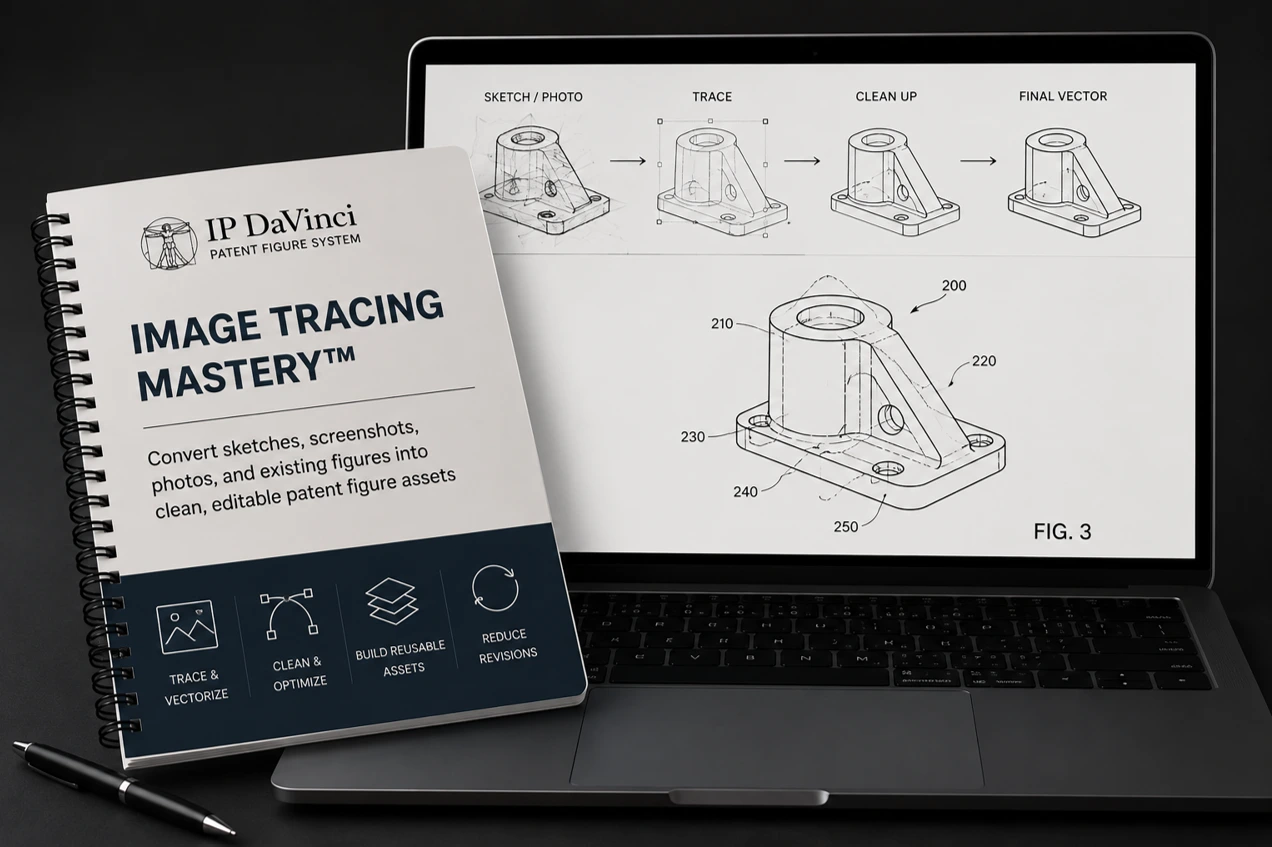
Convert Images Into Editable Patent Figures
Sources
- Inventor sketches
- Screenshots
- Photographs
- Scanned figures
- Legacy drawings
Tools
- Line Tool
- Shape Tools
- Tracing Layers
- Reference Images
- Cleanup Techniques
Workflows
- IP DaVinci Tracing Workflow™
- Precision tracing
- Layer cleanup
- Shape recreation
- Quality control
Benefits
- Create editable assets
- Reduce revision time
- Simplify annotations
- Improve quality
- Enable reuse
Who Should Attend
Designed for professionals who create, revise, review, or manage patent figures originating from sketches, images, screenshots, and legacy figures.
Why Learn Image Tracing
Images Are Difficult To Edit
Screenshots, photographs, sketches, and scanned figures are difficult to revise, annotate, and maintain.
Editable Figures Create Flexibility
Converting images into editable vector figures makes future revisions, updates, and annotations easier.
Better Assets Reduce Future Work
Clean editable figures support reuse, collaboration, quality improvements, and long-term maintainability.
What You Will Learn
Practical instruction focused on converting images into clean, editable patent figure assets.
IP DaVinci Tracing Workflow™
- • Set No Fill
- • Lock Reference Images
- • Create Red Tracing Layer
- • Trace With Line Tool
- • Shape Recreation
- • Precision Tracing
- • Layer Cleanup
- • Final Quality Checks
Advanced Tracing Applications
- • Tracing Inventor Sketches
- • Tracing Screenshots
- • Tracing Product Photos
- • Recreating Existing Figures
- • Figure Cleanup Techniques
- • Annotation Preparation
- • Reusable Figure Assets
- • Revision-Friendly Figures
Course Details
Everything needed to develop practical patent figure tracing and recreation skills.
What's Included
- ✓ eLearning Modules
- ✓ Practice Exercises
- ✓ Downloadable Resources
Program Format
WHY IP DAVINCI
A Different Approach To Figure Tracing
Learn a repeatable workflow instead of manually redrawing figures one shape at a time.
Structured Workflow
Follow a repeatable process that improves visibility, accuracy, and maintainability.
Built For Editing
Create editable figures designed for future annotation, revision, and reuse.
Cleaner Results
Produce professional patent figures with improved consistency and quality.
Practical Techniques
Learn methods that can be applied immediately to real patent figure projects.
FAQ
Frequently Asked Questions
Answers to common questions about Image Tracing Mastery™.
Do I need Visio experience?
How long does the program take?
What types of images can be traced?
Will I learn vector-based tracing?
Where does this fit within the IP DaVinci System™?
Ready To Master Image Tracing?
Image Tracing Mastery™ $99 Includes: eLearning Modules, Practice Exercises, Downloadable Resources, and the IP DaVinci Tracing Workflow™.