IP DAVINCI CONTINUATION PROGRAM
Visio For Patent Professionals™
- ✓ Part of the IP DaVinci System™
- ✓ Self-Paced Online Training
- ✓ Practice Exercises
- ✓ Immediate Access
CONTINUATION PROGRAM
CONTINUATION PROGRAM
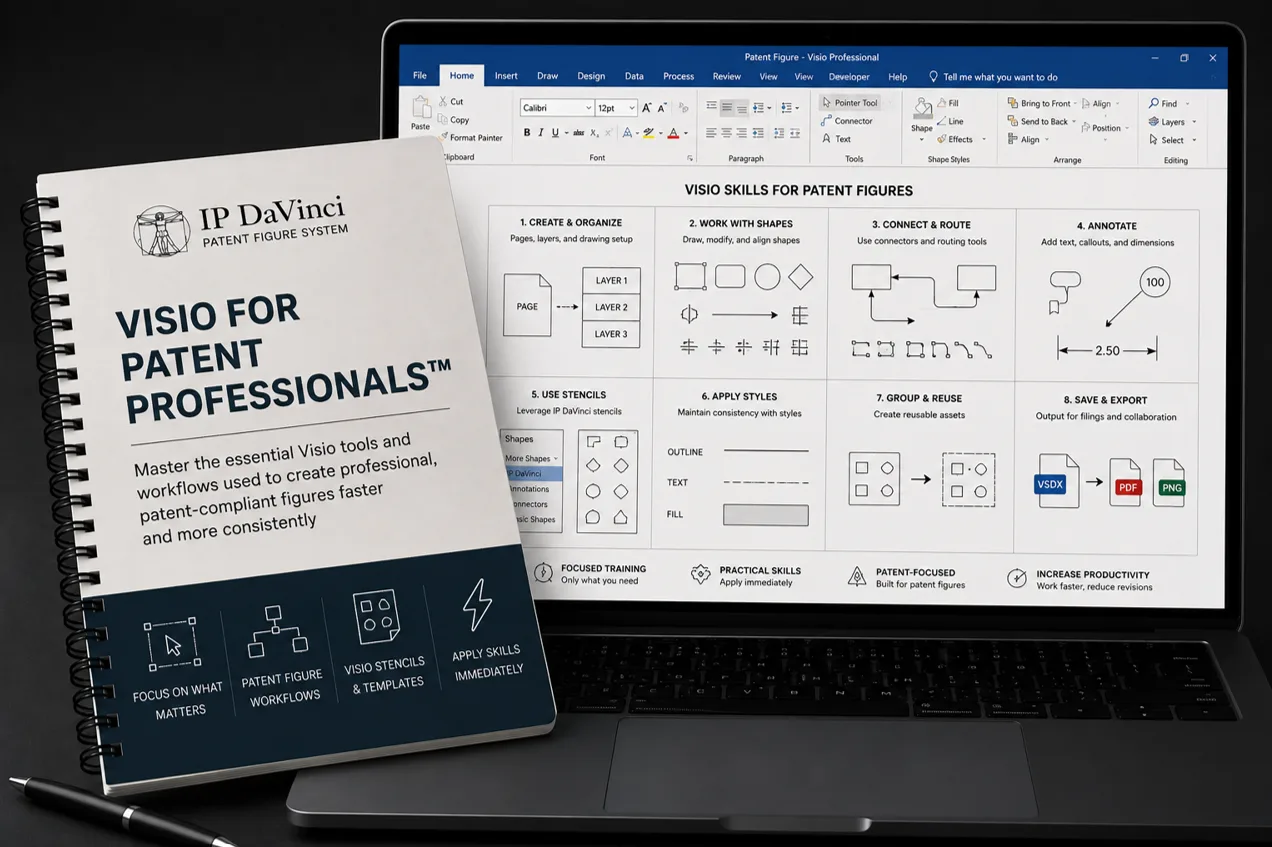
Master The Core Tool Behind The IP DaVinci System™
Essential Skills
- Navigation & Zoom
- Selection Techniques
- Object Movement
- Resizing
- Page Management
Core Tools
- Shapes
- Text
- Connectors
- Alignment
- Drawing Tools
Practical Workflows
- Flowcharts
- System Diagrams
- Image Tracing
- Figure Revisions
- Multi-Page Figures
Benefits
- Become Productive Faster
- Skip Unnecessary Features
- Improve Figure Quality
- Build Practical Skills
- Support Advanced Training
Who Should Attend
Designed for professionals who need practical Visio skills for patent figure work.
Why Choose Visio For Patent Professionals™
The Core Tool
Microsoft Visio is the primary platform used throughout the IP DaVinci Patent Figure System™ for creating, revising, and collaborating on patent figures.
Built For Patent Figures
Learn only the Visio tools and techniques needed for patent figure work. Skip unnecessary features and become productive faster.
A Foundation For Advanced Work
Strong Visio skills support advanced workflows including annotations, flowcharts, system diagrams, image tracing, and figure revisions.
What You Will Learn
Approximately 4–6 hours of practical instruction covering the Visio skills most commonly used for patent figure work.
Modules 1–3
- • What Is Visio?
- • Why Use Visio?
- • Visio Interface Overview
- • Zooming Techniques
- • Panning Techniques
- • Selection Techniques
- • Object Movement
- • Object Duplication
- • Resizing Techniques
Modules 4–6
- • Dynamic Grid Essentials
- • Alignment & Distribution
- • Grouping & Ungrouping
- • Bring Forward / Send Back
- • Connectors
- • Connection Points
- • Connector Formatting
- • Basic Page Management
- • Advanced Page Management
Modules 7–9
- • Working With Text
- • Labels & Annotations
- • Working With Images
- • Rectangle Tool
- • Ellipse Tool
- • Line Tool
- • Pen Tool
- • Arc Tool
- • Custom Figure Elements
Course Details
Everything needed to develop practical Microsoft Visio skills for patent figure work.
What's Included
- ✓ eLearning Modules
- ✓ Practice Exercises
- ✓ Downloadable Resources
Program Format
WHY IP DAVINCI
A Different Approach To Visio Training
Learn Visio as a patent figure tool, not as a general-purpose diagramming application.
Simplified
Learn the specific Visio tools and techniques needed for patent figure work without spending time on unnecessary features.
Standardized
Follow repeatable approaches for patent figure creation, revision, annotation, and diagram development.
Practical
Every module combines concise instruction with guided exercises designed for immediate application.
Efficient
Templates, stencils, workflow guides, and proven techniques help participants become productive faster.
FAQ
Frequently Asked Questions
Answers to common questions about Visio for Patent Professionals™.
Do I need prior Visio experience?
Do I need Microsoft Visio installed?
How long does the course take?
Is this general Visio training?
Will this help me create flowcharts and system diagrams?
Where does this fit within the IP DaVinci System™?
Ready To Master Visio For Patent Figure Work?
Learn the Microsoft Visio skills used throughout the IP DaVinci Patent Figure System™. $199 Includes: Practice Exercises, Downloadable Resources, and Immediate Access.